Tampilkan postingan dengan label palm. Tampilkan semua postingan

16 Mei 2008

GMail 1.5 PRCed File for Palm


VersaMail having trouble with GMail recently. I can't hardly have any message correctly. Malatesta said that it GMail changed its protocol code. One SnapperMail user also reported the same problem.

I choose to keep "free" instead of "using" Chatter or Snapper Mail, they're expensive. I have convert .jar file GMail Mobile Apps 1.5 into .prc file recently. Google don't make any PRC file for Palm.
I've uploaded GMail 1.5 PRC file here.

You need to install JVM first.
Here is the link if you don't have already.

The good news are :
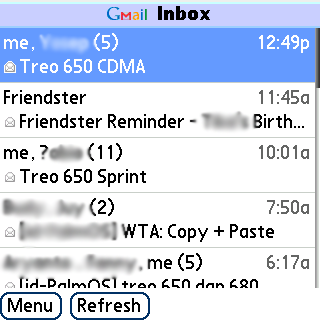
  1. You can search mails.
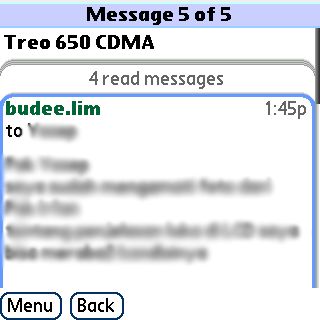
  2. See the chat/threaded email --just like accessing Gmail through Browser.
  3. Gmail 1.5 was said faster and leaner (using less data) than its previous version. Notice that there is download status bar in the upper right corner.
  4. You can organize your mails, mark mails, and so on
  5. You can browse through your GMail contacts address.
  6. Yo can use secure connection if you will by sacrificing the speed.
  7. Support 5-ways Navigator.
  8. Of course, you can compose mails inside this apps.

The bad news are :
  1. You can't set a schedule to check email.
  2. GMail 1.5 don't run in background.
  3. Also since Gmail Apps is Java type, you will have to deal with many "junk" files inside the internal memory like J9RMS 1234567 and so ...
    note: Creator ID is jG15 --stands for Java Gmail v 1.5
  4. Don't display HTML messages as is, instead you'll see txt converted one.

TIPS :
  1. To logout from your email, do this: Gmail Menu > Go To > Setting > untick [ ] "always keep me signed in".
  2. GMail will automatically insert text "Sent from Gmail for mobile". You can change this by untick the lowermost options in Setting.
  3. Notice if you choose [v] "always keep me signed in", it will load the previous Gmail database thus run faster. But you're losing your privacy since anyone using your device can access your Gmail without any password.
  4. To counter the Flickering effect when running Gmail
    from Palm Preferences > IBM Java VM > Choose GMail 1.5 >
    tick [v] Use Double Buffering

Happy GMailing !!

====
My next project will be converting Yahoo!Go to be used in Palm.
(This one is failed. Not every .jar can be converted into Palm's .prc successfully)

21 Februari 2008

VersaMail 4.01 Centro Update Works on Treo 680


I wrote in English here so it will be viable for international readers


I've just updated my versamail on Treo 680 with the new VersaMail 4.01 intended to upgrade Centro. So far it works well. Here how I updated the VersaMail 4.01 from my PC.
Currently i've updated my Treo 680 ROM into v1.12 - ROW

Upgrading VersaMail 4.01 to Treo 680 v1.12-ROW :
=== Be sure to backup before doing this update ===
  1. Download CentroVM40Updater.prc into your PC from Palm site : http://www.palm.com/us/support/mobile/centro/downloads.html
    I prefer download it into my PC because Data Traffic is expensive here in my country. Otherwise, you could download it Over The Air by typing that link in your Blazer browser.
  2. After downloading it, copy CentroVM40Updater.prc to your SD card. Just place it in the root directory.
  3. Go to Blazer, type file:///CentroVM40Updater.prc (notice the three slashes "///")
  4. Download to device > Yes
  5. After finished downloading it, choose open and save
  6. The installation will begin.
  7. It will restart itself after finishing the installation.
    I have little problem regarding soft-reset (by software) in my Treo 680. It always ends in a reset-endless loop. To counter this problem, i take out my battery then put it back to do soft-reset by hardware. Many times it works!

viola
I have VersaMail 4.01 on Treo 680 !!


What's the difference (form Palm)
Product update includes:

  • Enhancements to Gmail IMAP compatibility and an updated setup wizard with the new Gmail settings.
  • Improvements to help eliminate the silent failure of email when using Microsoft's Direct Push Technology via Exchange ActiveSync in VersaMail. Some users have reported that their email stops arriving, but they are not notified to press 'Sync' to re-enable Direct Push Technology. This update helps eliminate the occurrence of this scenario.

If you do not use Microsoft EAS or Gmail IMAP for email, you do not need to download this new version of VersaMail.

Please note this update is for Centro users only, and installation on other Palm smartphones may cause email to stop working properly. >> it's not true anyway LOL :D


-----------------------------

Noticable Note:
This update doesn't work with "quasi-pushmail" Gmail IMAP IDLE.
It means that you do not have GMail pushmail enabled with this upgrade.
It just another plain IMAP.
Another note from me is that the Account Setup Wizard is GONE in Treo 680.
You should setup email manually. But believe me it's not that hard to do so.


Why Should I Update My Versamail ?
The Old VersaMail didn't handle Gmail IMAP account, only Gmail POP3. That's why I need the update. I use POP3 setting in my Thunderbird, since POP3 can only handles 1 email client at a time, i couldn't get it both in my Treo 680 and Thunderbird. Once you've get your mail via Thunderbird, you can't get the mail by another email client like VersaMail in your Treo 680. Moreover, there isn't any conduit that sync emails from Thunderbird with VersaMail (you can only sync the address book / contact - not your emails) . I never want to use Outlook in PC just because it is too complicated and i don't like the way Outlook handles contacts. I prefer Palm Desktop to Microsoft Outlook.

Setting Up GMail IMAP on VersaMail 4.01
First of all, you should enable IMAP on your GMail account.

To enable IMAP in your Gmail account:

  1. Log in to your Gmail account.
  2. Click Settings at the right-top of any Gmail page.
  3. Choose Forwarding and POP/IMAP.
  4. Select Enable IMAP.
  5. Click Save Changes.
Here is the general GMail IMAP setting in VersaMail :


  • Account name : xxxxxxxxx
  • Email address : xxxxx@gmail.com
  • Password : xxxxx
  • Mail Type : choose IMAP
  • Username : xxxxx@gmail.com
  • Incoming Mail Server : imap.gmail.com
  • Outgoing Mail Server : smtp.gmail.com
  • go to ADVANCED >
    Incoming Server Setting >
    Port Number : 993
    Tick [v] Use Secure Connection (SSL)
  • Outgoing server setting >
    Port Number : 587
    Tick [v] Use Secure Connection (SSL)
    Tick [v] Use Authentication (EMSTP)
    Username : xxxxx@gmail.com
    Password : xxxxx
  • DONE
Now you can receive and send emails as usual.

==================
Disclaimer
Try this at your own risk!

19 Februari 2008

Treo 680 ROM Update

Treo 680 Unlocked GSM ROM Update
sudah keluar
bisa didownload dari sini
http://www.palm.com/hk/ie/support/treo680/downloads/680mr.html


bedanya di sini :
1. Teknologi Direct Push dari Microsoft bisa dipake (bisa push mail).
2. Lebih hemat batere
3. Mampu menggunakan SD Card sampai kapasitas 4 Gb (termasuk SDHC)
4. Bisa memakai format MP3, AAC, AAC+, MIDI, WAV, and AMR sebagai ringtone dan alarm
5. Sudah termasuk 3 update sebelumnya (Camera Patch, Security Update dan SMS Update)

Prosedur upgrade ROM Treo 680
(versi saya 1.05-APR ke 1.12 ROW namun pada dasarnya sama prosedurnya)

1. backup semua data lewat NVbackup / Resco backup dan hotsync jg ke PC

2. saya memilih option update lewat SDcard --berdasarkan ket forum Palm Filipina ini http://home.mapalad.org/viewthread.php?tid=15583 --> kira2 butuh waktu 8 menit

3. Copy semua data di SDcard ke PC lalu format ulang SD card lewat PC dengan card reader.
Disarankan menggunakan SD card BUKAN miniSD + Adapter

4. Extract file Treo680_1_12_ROW_SDupdater.zip, lalu copy folder "PALM" ke SD card yang diformat tadi.

5. Masukkan SD card ke Treo 680 lalu charge Treo 680 (supaya tidak mati di tengah proses) update akan berjalan sendiri dan Treo 680 akan reset berulang2 sebelum instalasi ROM selesai. Waktu yang dibutuhkan kira2 5-8 menit

6. ROM baru sudah terinstall. Setelah terinstall dengan baik, HAPUS folder Palm di SD card yang berisi updater ROM tadi. Jika tidak dihapus, setiap kali reset akan menuju ke updater ROM.

Masalah yang saya hadapi adalah ketika hotsync ulang, Treo 680 error setelah direset.
mungkin ada program yang crash karena saya pernah install TreoHomeFix_Hack.prc
jadi saya hard reset lagi trus ulang semua dari awal
Fresh install istilahnya ...
gampang kok ...

konon kabarnya bisa support delivery report untuk versi ROM 2.12 yang didownload dari link di atas.

Selamat mencoba